How to: 使用 ImageJ 開啟 Mono12 RAW 影像#
當影像以 RAW 格式儲存在 pylon Viewer 中時,可以使用例如 ImageJ 軟體來開啟和檢視。
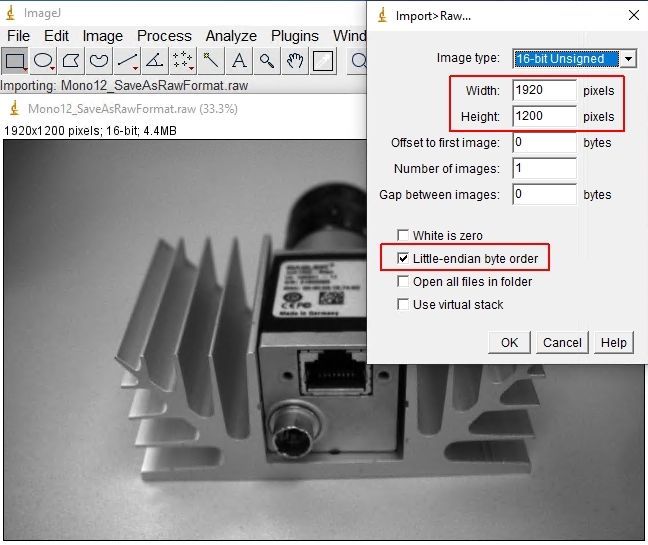
若要在 ImageJ 中正確開啟 RAW 影像,您必須設定以下影像參數:
- 影像類型:16-bit unsigned
- 寬度和高度:必須與實際圖片大小相符(請同時檢查 offset 值)
- 勾選 "Little-endian byte order" 方塊
以下兩張圖片顯示了如何開啟由 Basler a2A1920-51gmPRO 相機產生的影像。
以下是 pylon Viewer 中的參數:
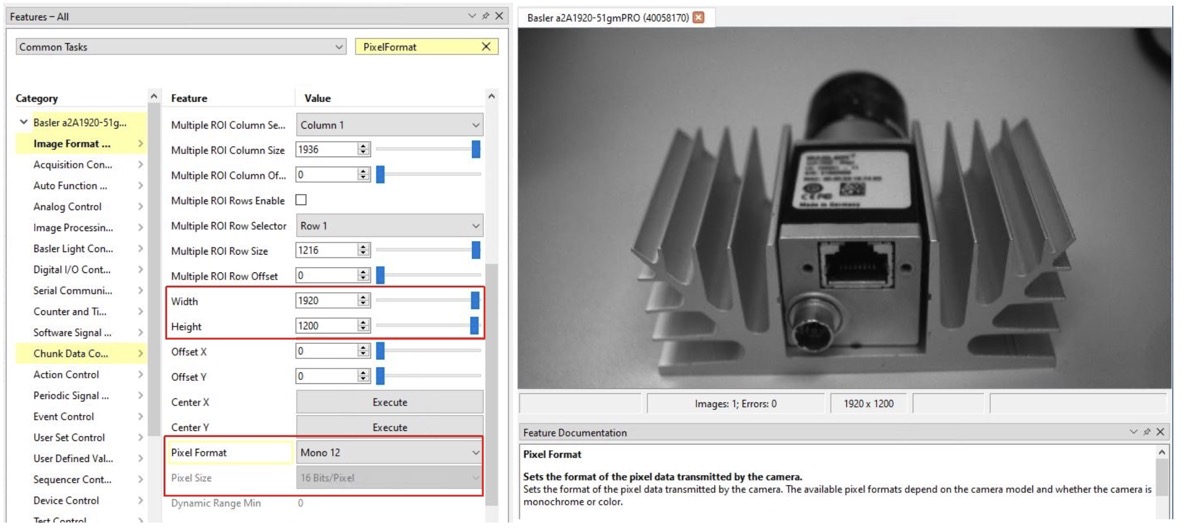
以下是需要在 ImageJ 中調整的參數: