Binning (CXP Interface Cards)#
這可能會提高訊號雜訊比、相機對光的響應或幀率。
擷取卡上的 Binning#
此 applet 提供多個參數來設定 Binning。首先,請務必理解,根據 GenICam ROI(興趣區)的寬度、高度和偏移量,它們決定了 Binning 之後的影像大小。例如,如果您的相機輸出的影像寬度為 5120,且您想要使用 2 的水平 Binning 倍數,則必須將擷取卡 ROI 設定為 2560,並將 Binning 倍數設定為 2。
下圖說明了此行為:
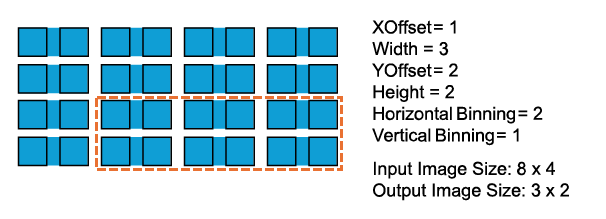
根據預設,GenTL Producer 會自動設定擷取卡 ROI,以與相機同步,如使用 GenTL 介面中所述。至於 Binning,若您必須設定不等於相機寬度和高度的 ROI,則必須先停用 Automatic ROI Control 功能。針對上述範例,請依正確順序設定下列參數。所有參數均為 GenTL 相機裝置參數(例如在 C++ pylon API 中):
-
Automatic ROI Control=false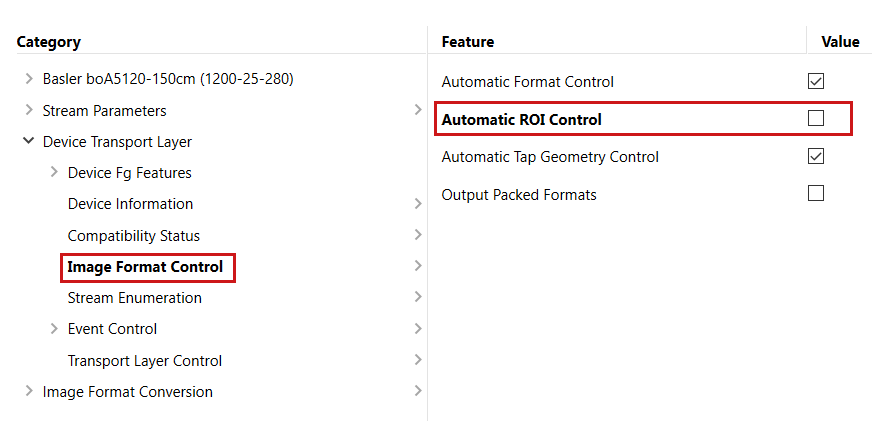
-
Width=2560 -
Height=5120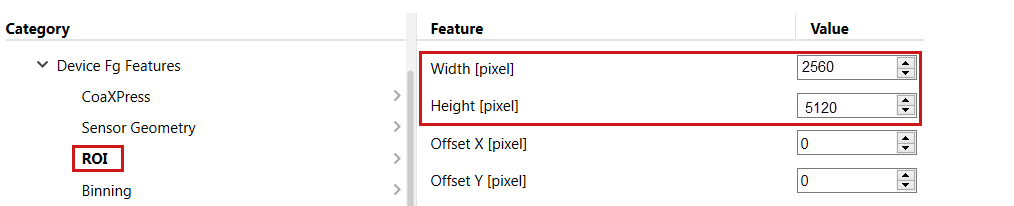
-
對於 Sensor Geometry,請設定
Sensor Width=5120會設為Sensor Height=5120.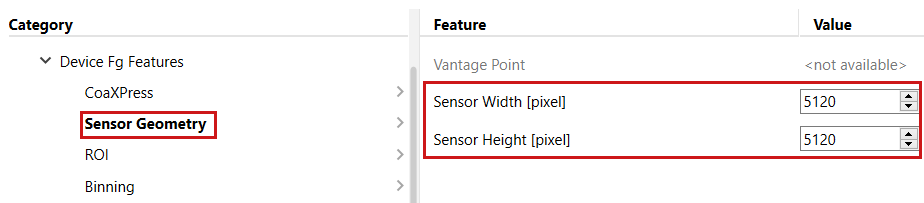
-
在類別
Binning中,請設定Horizontal Binning=2的狀態,以及Vertical Binning=1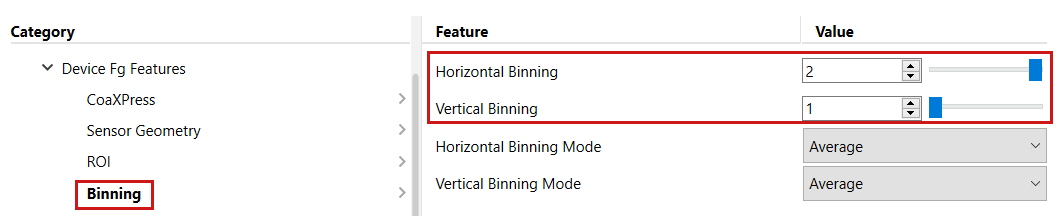
您可以計算 Binning 像素的平均值來提高訊噪比,同時不影響相機對光的響應。或者,您可以將像素相加來提高相機對光的響應。若要這麼做,請選擇 BinningHorizontalMode 和 BinningVerticalMode 參數。下圖顯示對相機標準測試圖案的影響。
Test Pattern Binning Horizontal Average:

Test Pattern Binning Horizontal Sum:

擷取卡無法像相機內部那樣在感光元件層級執行 Binning。因此,如果可能的話,應使用高位元速率將像素從相機傳輸至擷取卡並處理 Binning。之後,可以在 DMA 傳輸至電腦記憶體時降低擷取卡的位元速率。因此,請選擇允許在所需影格速率下使用的最高可用相機 Bit Width。
同樣地,GenTL Producer 會自動設定擷取卡設定以符合相機。如果您想在整個處理過程中一直使用高位元速率直到電腦記憶體,請將 PixelFormat 以達到相機內所需的 Bit Width。不過,如果您想要在 Binning 功能之後降低 Bit Width,請停用 GenTL Producer 的自動擷取卡設定。以下螢幕擷取畫面顯示了此操作:
-
將相機
Pixel Format設為例如Mono 10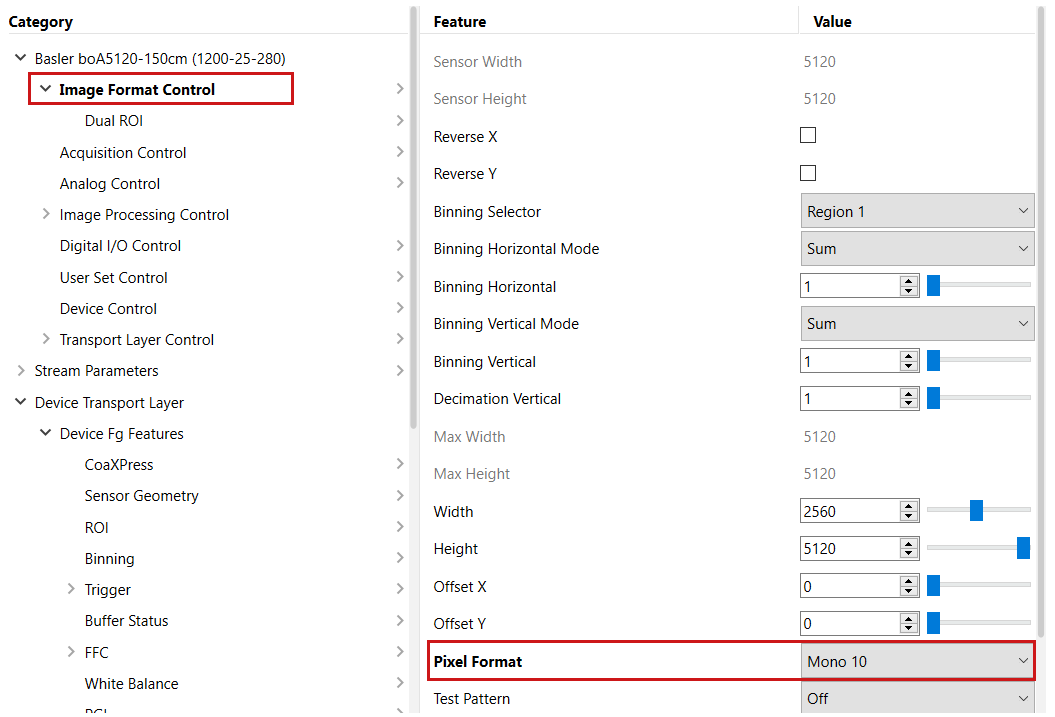
-
設定
Automatic Format Control=false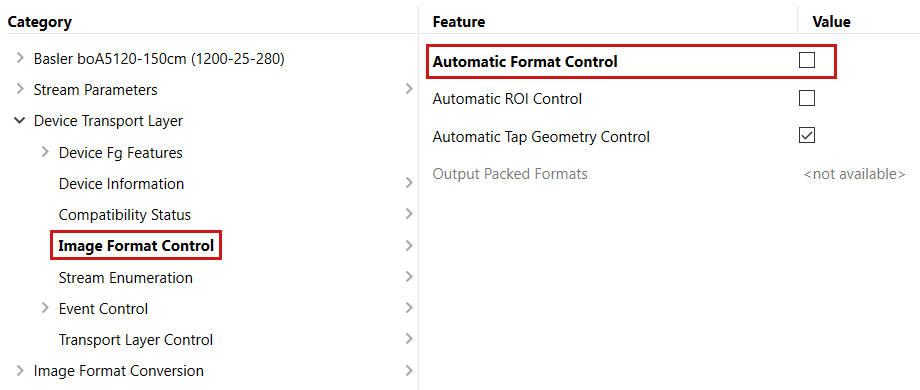
-
設定擷取卡輸入 Pixel Format
Pixel Format=Mono 10p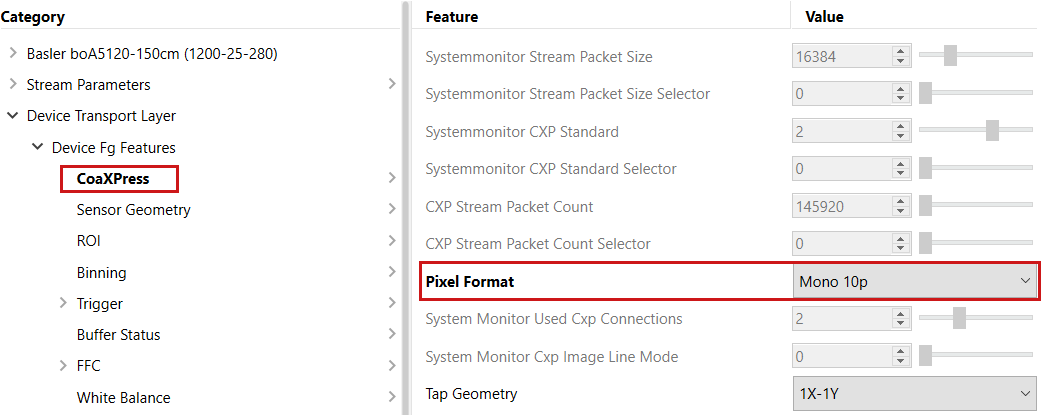
-
設定擷取卡
Output Format=Mono 8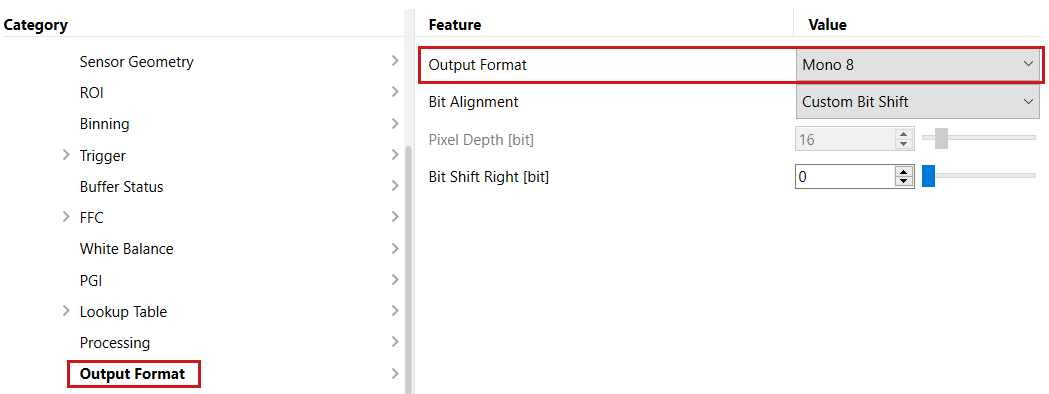
此組態可在更高精度下提供相同的結果。若要進一步提高亮度和整體影像 Quality,您可以使用擷取卡的 Gain、Offset 或 Gamma 功能。