Recipe Code Generator#
運作原理#
使用 Recipe Code Generator 會執行以下操作:
- 此工具會將目前開啟的資源儲存為指定資料夾中的 .precipe 檔案。
- 此工具會產生 C++ 範例程式碼,讓您可以載入、啟動和處理資源。範例程式碼檔案會與資源檔案儲存在同一資料夾中。
正在產生 Recipe Code#
若要為您的應用程式產生資源程式碼:
-
建立資源或開啟現有資源。
-
按一下 Workbench 工具列中的圖示,或按一下 Workbench > Recipe Code Generator,即可開啟 Recipe Code Generator。

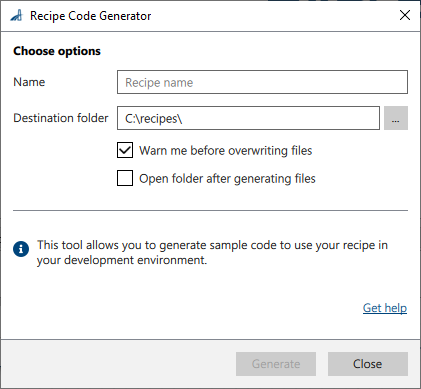
Recipe Code Generator 視窗隨即開啟:
-
調整設定
-
Name: Enter the desired name for the recipe.
The name will be used as the recipe file name (<name>.precipe). Also, the name is used in the generated code. -
Destination folder: 選擇要儲存產生檔案的資料夾。如果資料夾不存在,將會自動建立。
-
-
按一下 Generate。
產生的檔案將會放置在指定的目標資料夾中。